Best study apps for students in 2026
Choose a study app for the task you need help with: planning revision, timing a session, limiting distractions or playing background audio. Compare Vitae, Brain.fm, Forest and simpler options using their published features. This guide is not a hands-on ranking.
I develop Vitae, which is mentioned in this guide.
In this guide
Compare the task before the app
| Tool | Useful for | What to check |
|---|---|---|
| Vitae | Planning subjects and exams, then running a timed session | Whether weekly planning matches your routine; iPhone availability |
| Brain.fm | Functional music for focus, relaxation and sleep | Subscription terms, listening modes and offline downloads |
| Forest | Focus timer, virtual trees and distraction management | Which blocking, sound and social features your platform includes |
| A simple timer | Working for a chosen interval | Break reminders, background behaviour and accessibility |
| Notion or Todoist | Maintaining notes or tasks in a system you configure | Setup effort, reminders, offline behaviour and paid limits |
| A playlist | Background sound you already enjoy | Ads, download availability and whether the music distracts you |
Planning and timed sessions
Vitae brings subjects, exam dates, weekly availability and study sessions together. The planner, Exam Mode and Pomodoro are free; Premium is an optional one-time unlock. Its recommendations use rules and information you enter. They do not measure learning or guarantee exam results. A calendar and a timer can also be enough if you already know what to study.
Audio and distraction management
Brain.fm describes music made with composers and audio technology, with focus, relaxation and sleep modes plus listening timers. Forest combines its tree-growing timer with distraction features and also offers soundscapes. Compare the audio and timer features available on your platform. Check current publisher pages for platform and purchase details.
A practical selection test
Illustrative case: you have three exams, a timetable that changes and 30 minutes free now. If deciding the next subject takes most of that time, start with planning. If the subject is already clear but you keep checking your phone, try distraction controls. If you work comfortably in silence, an audio subscription adds no necessary step.
Try one ordinary study session
- Pick a specific task, such as answering five practice questions.
- Use the free or trial features available to you and check purchase terms before subscribing.
- After the session, record what you completed and what needs another attempt. Keep the tool only if it removes friction.
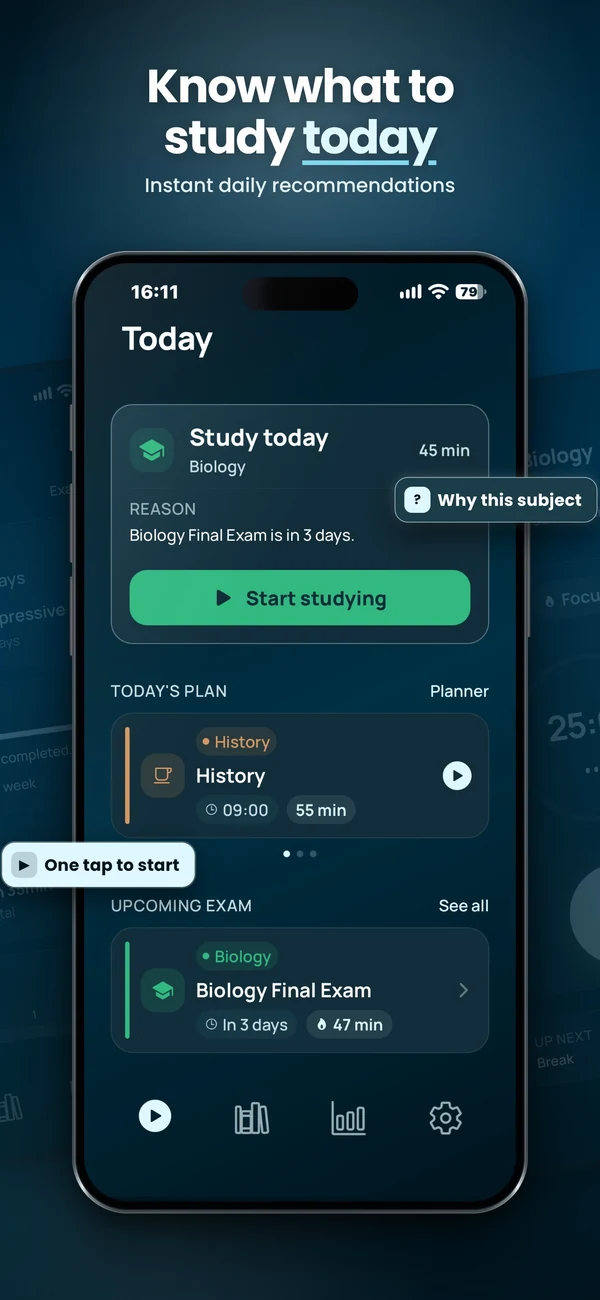
Plan and run a study session
Vitae brings subjects, exams, weekly planning and timed sessions together on iPhone. Core planning features are free, with an optional one-time Premium unlock.
Explore VitaeFrequently asked questions
Do I need a paid study app?
No. A calendar, notes and a timer can support a study routine. Pay only for features you will use regularly.
Is this an independent ranking?
No. I develop Vitae. This comparison uses published features and explains which tasks the tools address; it does not claim a comparative hands-on test.