Best offline study apps for iPhone
Choose an offline study app for what you need without a connection: planning revision, reading notes or running a focus session. Check which content must be downloaded first and how changes sync between devices.
I develop Vitae, which is mentioned in this guide.
In this guide
Quick answer. For a study plan, exam targets and a Pomodoro timer on iPhone, consider Vitae. For local revision notes, Apple Notes offers an “On My iPhone” account. Neither local storage option should be mistaken for automatic syncing between devices.
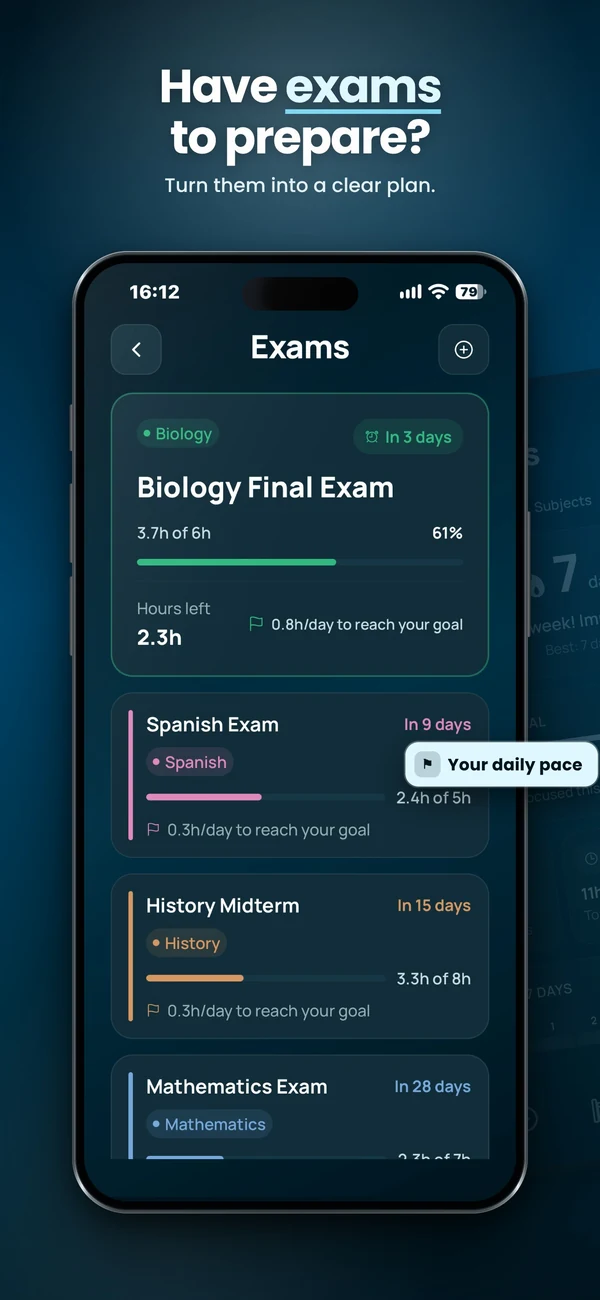
Looking for an offline planner? See Vitae’s planner and exam screens, or check what is free before downloading.
Choose an offline study app by task
| Option | Useful for | Offline setup and limits |
|---|---|---|
| Vitae | A weekly study plan, exam targets, Pomodoro and focus sessions | Install first. Planning and session data stay on your device; audio ships with the app. No cross-device sync. Free planning and timer, optional one-time Premium for the full session library and sounds. |
| Apple Notes | Keeping revision notes on one iPhone | Enable the “On My iPhone” account and store your notes there. Those notes stay on that iPhone; this account does not sync them to other devices. |
Apple documents the local account in its Notes account guide. Cloud accounts are a separate setup: check that the material you need is available before disconnecting.
A practical study session in airplane mode
- Prepare your material. Install the apps and put the notes or PDFs you need on your phone before leaving a connection.
- Set a specific goal. For example, review one biology chapter for 25 minutes, then spend five minutes recalling it without looking.
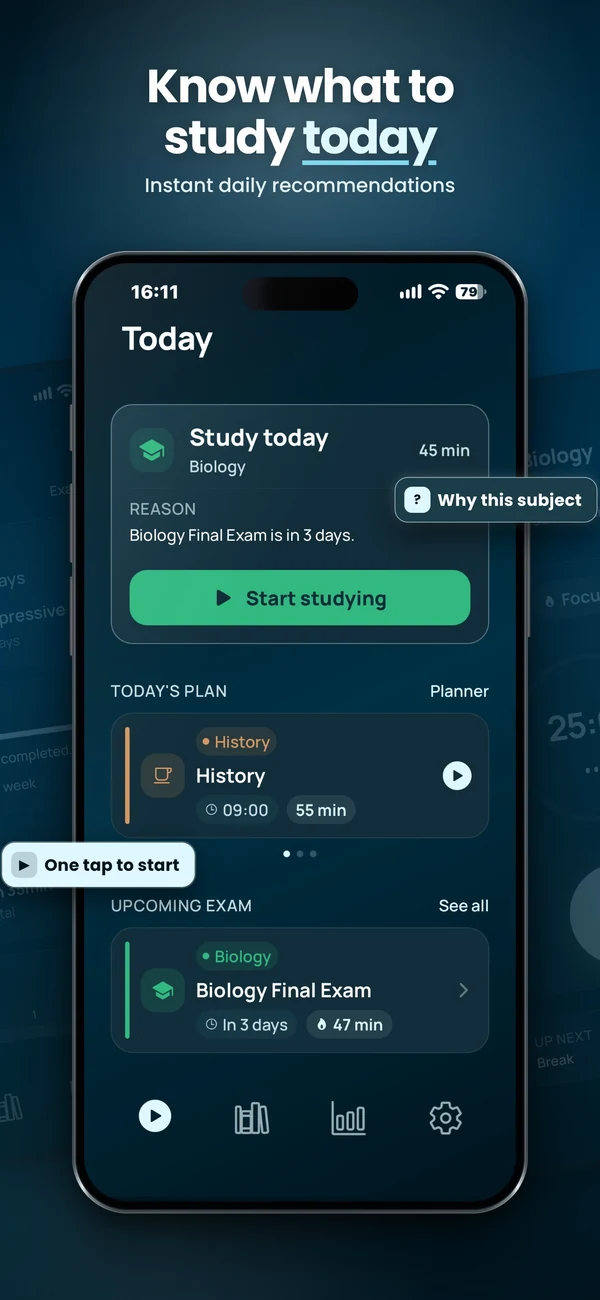
- Open your plan. In Vitae, choose your subject or the recommended session. Run the timer, with or without locally available audio.
- Record what you finished. Reopen the app while still disconnected and check that your progress was saved.
Offline does not mean synced
An app can save changes on one phone without offering cloud sync. Another app may let you work offline and upload changes later, once a connection returns. If you need to move between a laptop and a phone, check its sync and conflict-handling rules explicitly. Vitae keeps your plan and progress on the device; do not choose it on the assumption that it syncs between devices.
Test before an exam or a flight
- Turn on airplane mode, then make sure Wi-Fi is also off.
- Open the actual notes, images and audio you intend to use.
- Create or edit an entry rather than only viewing a cached screen.
- Close and reopen the app. Confirm that the changes are still there.
- If you use a syncing app, reconnect and check the result on your other device.
Plan and run a study session
Vitae brings subjects, exams, weekly planning and timed sessions together on iPhone. Core planning features are free, with an optional one-time Premium unlock.
Explore VitaeFrequently asked questions
Can I study with my iPhone in airplane mode?
Yes, if your apps and study materials are already available locally. Turn Wi-Fi off too, then test opening your notes, editing your plan and running a complete session before relying on it.
Does Vitae work offline?
Yes. Vitae stores your study plan and progress on your device, and its audio ships with the app. Install it before disconnecting. It does not offer cross-device sync.
Is Vitae free?
Study planning, exam tracking and Pomodoro are free. Premium is an optional one-time purchase for the full session library, all ambient sounds and other Premium features.
Do offline study apps sync without internet?
Offline storage alone does not provide cross-device sync. Cloud sync needs a connection to exchange changes. Some apps sync after reconnection; Vitae does not offer cross-device sync.