Vitae vs Brain.fm: study planner or focus audio?
Vitae combines exam planning, timed study sessions and optional audio. Brain.fm offers music for focus, relaxation and sleep, with listening timers. Compare their features to decide whether you need planning, audio or both.
I develop Vitae, which is mentioned in this guide.
In this guide
The main difference
Vitae starts with your subjects, exams and available hours. Brain.fm starts with the listening experience. This is a comparison of published features, not an independent listening experiment or a measurement of learning outcomes.
Feature comparison
| Need | Vitae | Brain.fm |
|---|---|---|
| Study planning | Weekly planner, subjects and exam hour targets | The publisher centres its product on audio rather than an exam planner |
| Timed work | Pomodoro and guided sessions | Count-up, countdown and interval listening timers |
| Audio | Ambient sounds and optional binaural tones | Music made with composers and proprietary audio technology |
| Offline use | Core study data and included audio stay on the device | Mobile offline downloads are advertised; check subscription and download conditions |
| Payment | Free core features; optional one-time Premium unlock | Subscription with trial options; check current renewal terms |
| Scope | Student planning and sessions | Focus, relaxation and sleep listening |
Which fits your day?
Illustrative case: on Sunday you need to distribute six study hours between two exams. Vitae addresses that planning task. On Monday you already have a task list and want a music catalogue for a 40-minute work block. Brain.fm addresses the listening task and provides timers. You can also use a calendar and silence, or combine separate planning and audio tools.
What this comparison cannot establish
Feature descriptions do not establish that one app improves concentration, grades or health more than another. The Brain.fm website describes its method and research; those materials are distinct from a direct comparison with Vitae. Vitae’s recommendations are rules over your inputs, and its audio remains optional.
Before choosing
- Check whether you need exam planning, listening, or both.
- Test audio comfort and timer behaviour during a normal work block.
- For offline listening, download what you need and test in airplane mode.
- Check the actual purchase screen for regional pricing and renewal conditions.
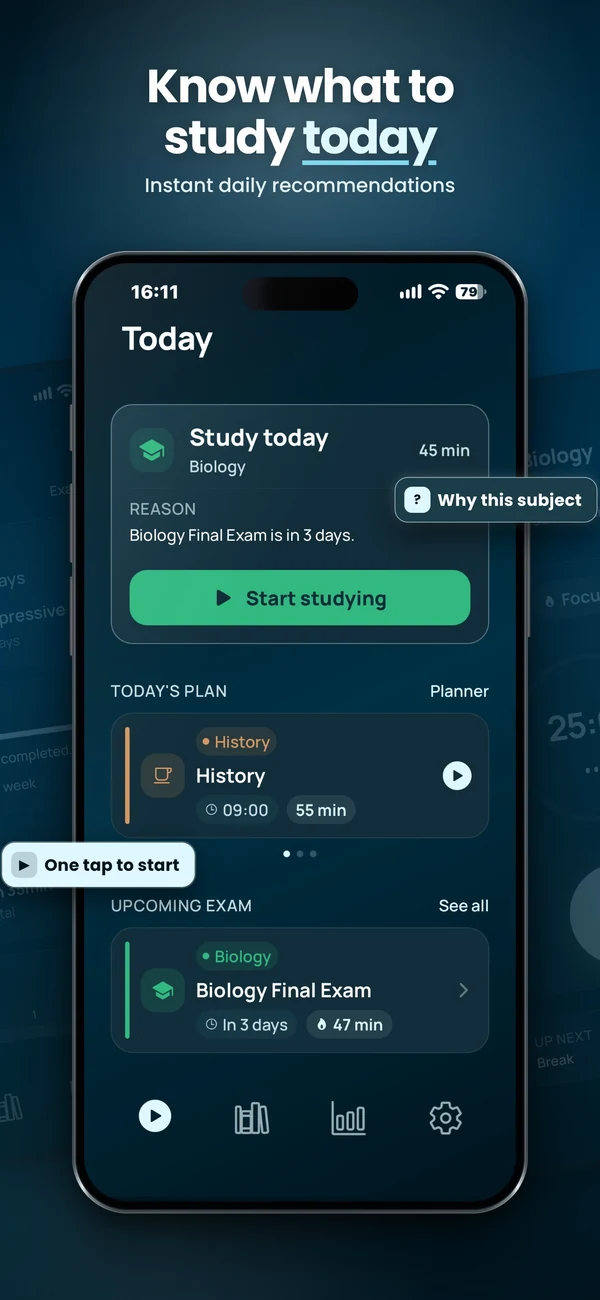
Plan and run a study session
Vitae brings subjects, exams, weekly planning and timed sessions together on iPhone. Core planning features are free, with an optional one-time Premium unlock.
Explore VitaeFrequently asked questions
Does Brain.fm have a timer?
Yes. Its publisher describes count-up, countdown and interval timers. The difference here is study planning, not the presence of a timer.
Can I use Vitae without binaural audio?
Yes. Planning and timed study do not require the optional binaural layer.