How to choose a recovery-based workout planner
A recovery-based workout planner should help you choose a sensible next session, not claim to measure your body perfectly. Use this checklist to compare the inputs, reasoning and control an app gives you.
I develop Forma, which is mentioned in this guide.
In this guide
Check what the app uses as input
Look for a clear record of recent sessions: when you trained, which muscle groups you worked and what exercises or sets you logged. If an app bases its suggestion on training history, missed or incomplete logs can make the estimate less useful. A simple history you can correct is more helpful than a readiness number with no explanation.
Understand the recovery estimate
Some workout planners model fatigue separately for each muscle group and let the estimate change as time passes. That can help rotate sessions, but it is still a software estimate based on recorded workouts. It does not directly measure soreness, sleep, injury or medical readiness. Read the explanation, compare it with how you feel and use the plan as a guide rather than a diagnosis.
Keep control of the workout
Check whether you can filter by available equipment, choose exercises manually and adjust the proposed session. A useful app should handle a home workout differently from a fully equipped gym if your options differ. Progress tracking should make it easy to review sets, repetitions and weights without forcing you into a fixed weekly routine.
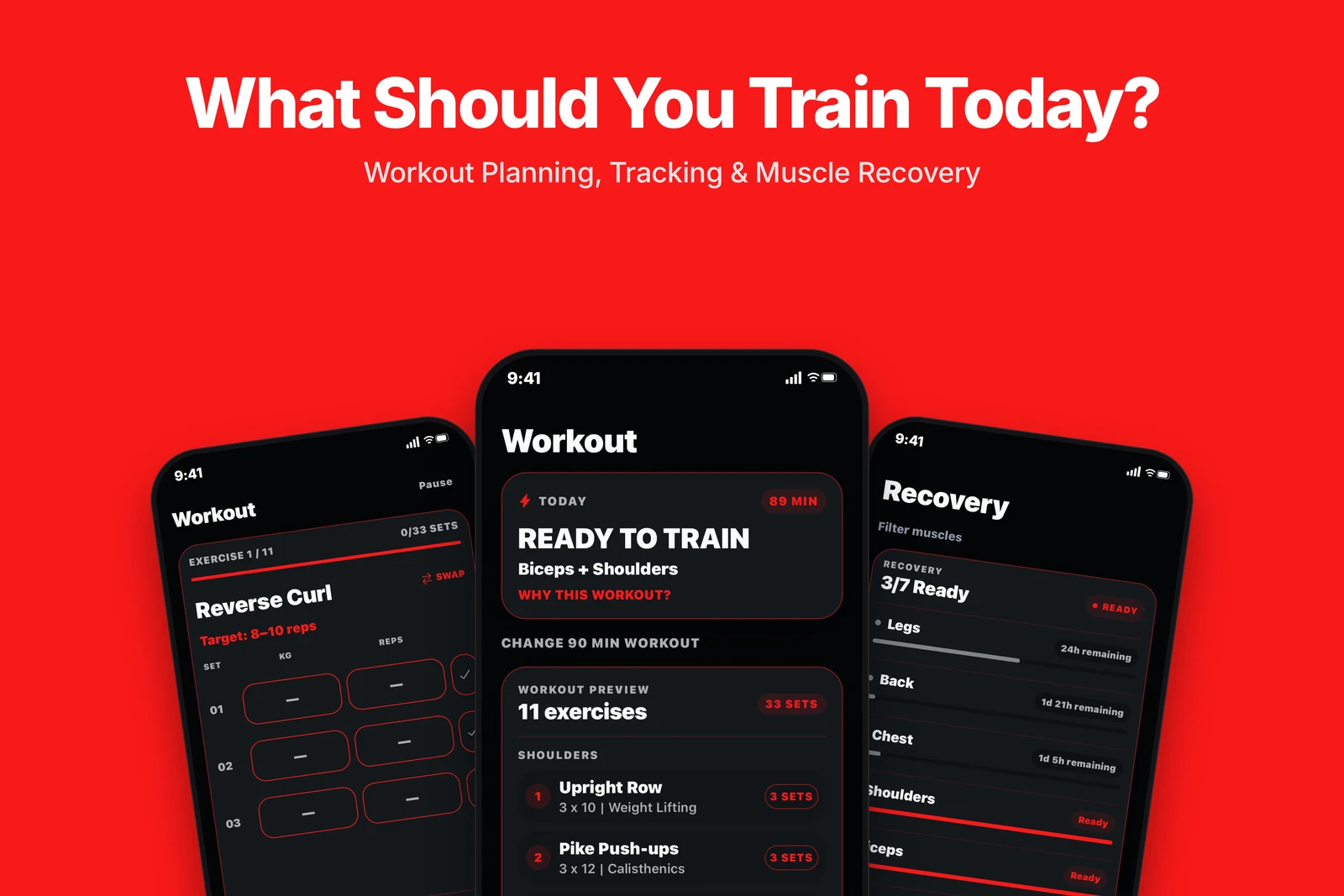
See a muscle-by-muscle training estimate
Forma logs training by muscle group and uses a fatigue-decay model to estimate recovery and prioritize less-fatigued groups. Smart mode creates a session from that history; Custom mode lets you choose exercises yourself. The estimate is a planning aid, not a medical assessment.
Use the suggestion as a check-in
- Log the last workout accurately.
- Review which muscle groups the app proposes and why.
- Consider soreness, sleep, pain and your own training plan.
- Choose a lighter session, another activity or rest if that better fits how you feel.
Stop exercising and seek qualified advice for concerning pain or symptoms. An app cannot determine whether an injury is safe to train through.
Frequently asked questions
Does a workout app measure muscle recovery directly?
Usually, an app estimates recovery from information such as logged training and elapsed time. Check the app’s method and do not treat an estimate as a medical measurement.
Should I train a muscle as soon as an app marks it recovered?
Not automatically. Consider how you feel, your recent workload and your overall plan. A software estimate is only one input.
What if my workout planner suggests exercises I cannot do?
Prefer an app that lets you filter by equipment or choose alternatives manually, and keep the training history accurate so future suggestions reflect what you actually did.